
Cancelling Your Account and Refund Policy
This guide explains how to cancel your subscription, what happens to your data after cancellation, and how the 30-day money-back guarantee works.
Before You Cancel
Take these steps before initiating cancellation to avoid losing data or services:
1. Download your site backups.
Go to KPanel > Backups and download a copy of each site backup to your local machine before cancelling. Once your account is closed and the retention period ends, these cannot be recovered.
2. Export your databases.
If you need a copy of your database independent of the site backup, export it from KPanel > Databases > Export.
3. Transfer your domains (if registered through Kapsule).
If you registered a domain through Kapsule Cloud and want to continue using it elsewhere, you must initiate an outbound transfer before cancelling. Go to KPanel > Domains, select the domain, and click Transfer Away. You will need to unlock the domain and request an authorisation (EPP) code to provide to your new registrar. Allow several days for the transfer to complete before closing your account.
4. Save any email you need.
If you use Kapsule Mail, export or forward any emails you want to keep. Access to webmail at webmail.kapsulecloud.com ends when your account closes.
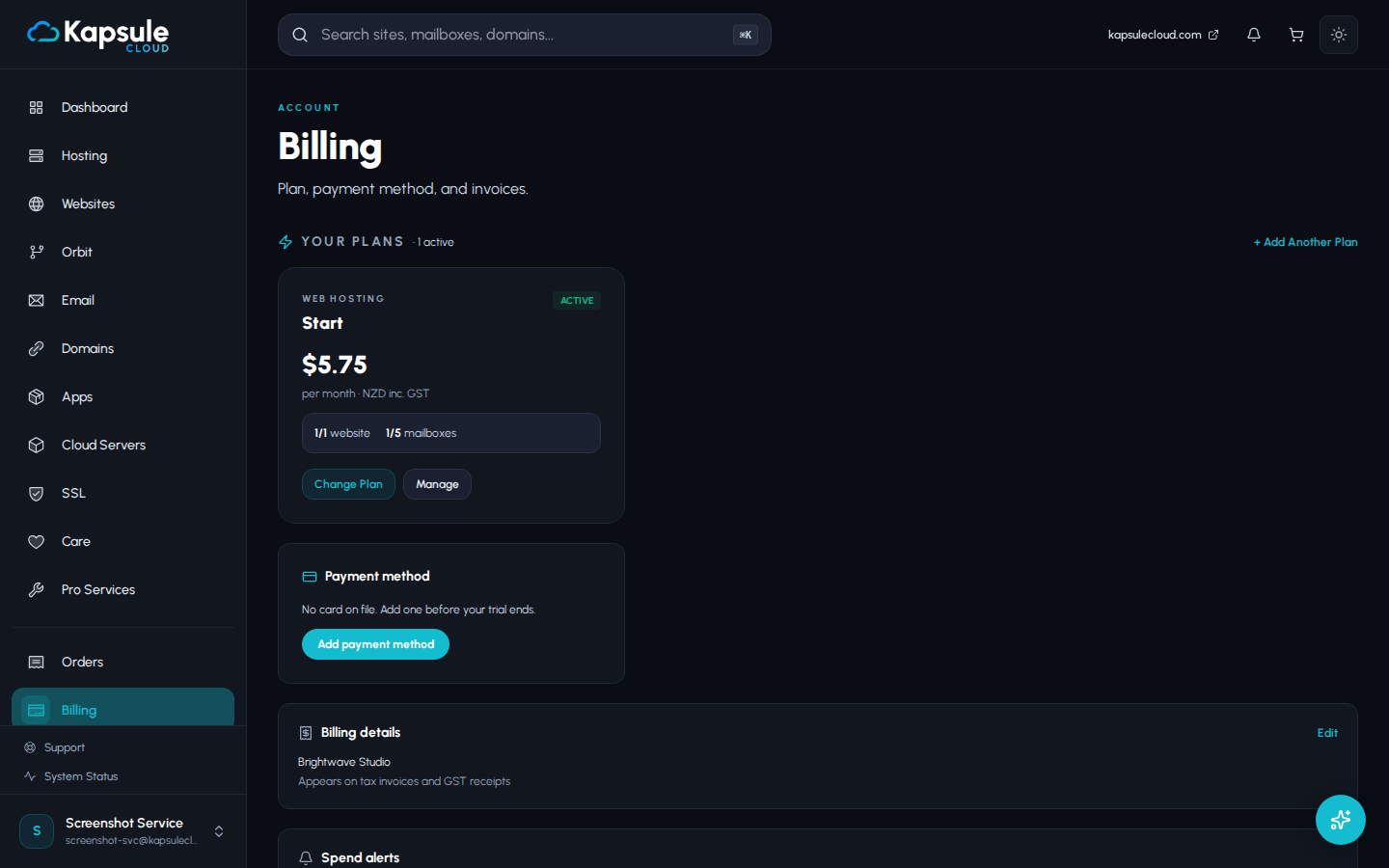
How to Cancel
- Log in to KPanel at kpanel.kapsulecloud.com.
- Go to Billing.
- Click Cancel Subscription.
- Read through the cancellation summary, which lists what will be lost and when.
- Follow the prompts to confirm cancellation.
Your subscription is cancelled immediately. No further charges will occur after the cancellation date. Your account and all data remain accessible until the end of your current paid billing period.
What Happens to Your Data After Cancellation
| Timeline | What Happens |
|---|---|
| Immediately | Subscription cancelled, no further charges |
| Until end of billing period | All services remain active and accessible |
| End of billing period | Services are deactivated, account enters retention hold |
| 14 days after deactivation | All data (sites, files, databases, email, backups) is permanently deleted |
Data deletion after the 14-day retention period is permanent and irreversible. Kapsule Cloud cannot recover data after it has been deleted. Download everything you need before or immediately after cancelling.
Reactivating After Cancellation
If you change your mind after cancelling:
- Before services are deactivated: Simply go to KPanel > Billing and renew your subscription. Everything continues as normal.
- During the 14-day retention hold: Log in to KPanel and resubscribe. Your sites, files, and databases should still be intact. Contact support if anything appears missing.
- After 14 days: Data has been permanently deleted. You can create a new account and start fresh, but no previous data can be recovered.
30-Day Money-Back Guarantee
Kapsule Cloud offers a 30-day money-back guarantee on hosting plans.
Who Is Eligible
- New customers on their first hosting subscription.
- The guarantee applies to the first subscription payment only. Renewals and subsequent billing periods are not eligible.
- The guarantee applies to hosting plans. Domain registrations are not covered (see below).
How to Request a Refund
- Contact support at support@kapsulecloud.com within 30 days of your first payment.
- Include your account email address and a brief note that you are requesting a refund under the money-back guarantee.
- You do not need to provide a reason, though feedback is always welcome.
Refunds are processed back to the original payment method. Processing time is 5 to 10 business days, depending on your bank or card issuer.
Domain Registrations Are Not Refundable
Domain registration fees are paid directly to the domain registry when you register a domain. These costs are non-refundable because they cannot be recovered once paid. This applies to all domain registrations regardless of the circumstances.
If you registered a domain and are cancelling within 30 days, the hosting portion of your payment is refundable, but the domain registration fee is not.
Pausing Instead of Cancelling
If you need to temporarily stop a project but plan to return, contact support to ask about pausing options. Depending on your situation, it may be possible to preserve your data without continuing to pay for a full active subscription. Pausing is handled on a case-by-case basis.